Click your Help Button desktop icon or pinned taskbar icon. Desktop IconTaskbar Icon
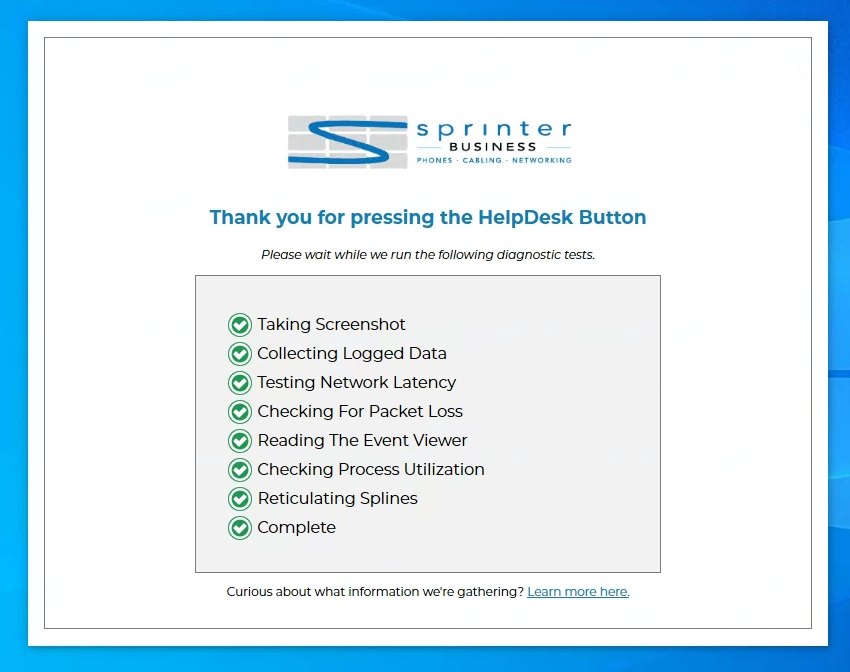
After launching it, the software will then gather some diagnostics to assist in troubleshooting, as shown below:
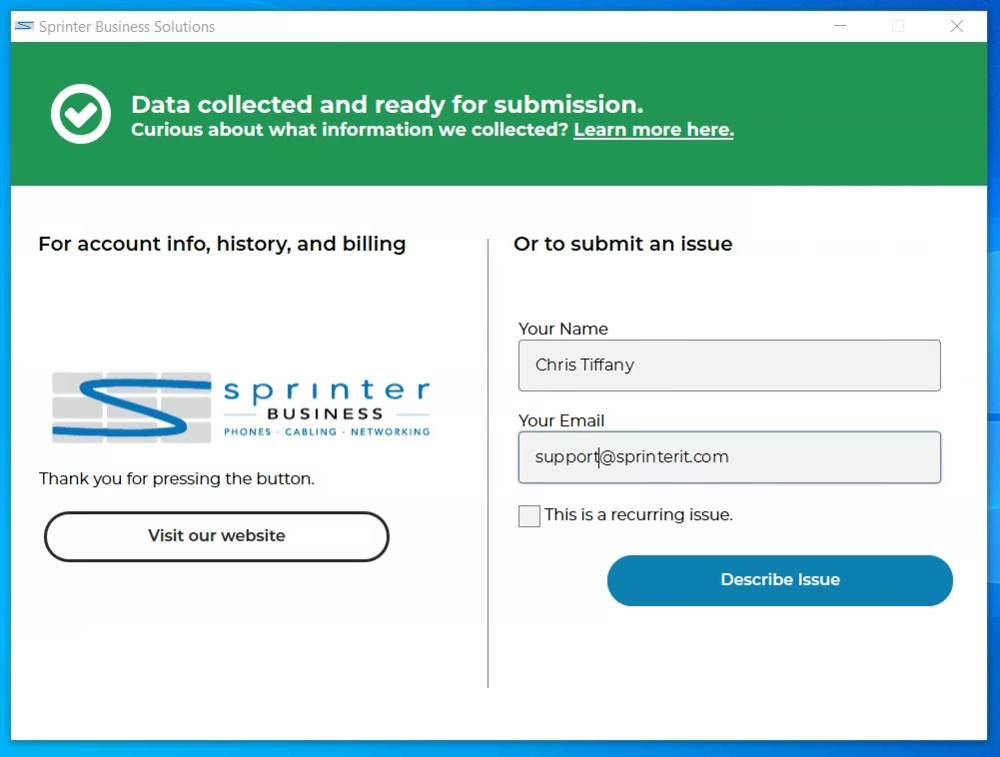
Once it's complete, please enter your first and last name and your email associated with your company as shown below: If this is a recurring issue, please make sure to select Recurring Issue
After entering your information, click Describe Issue
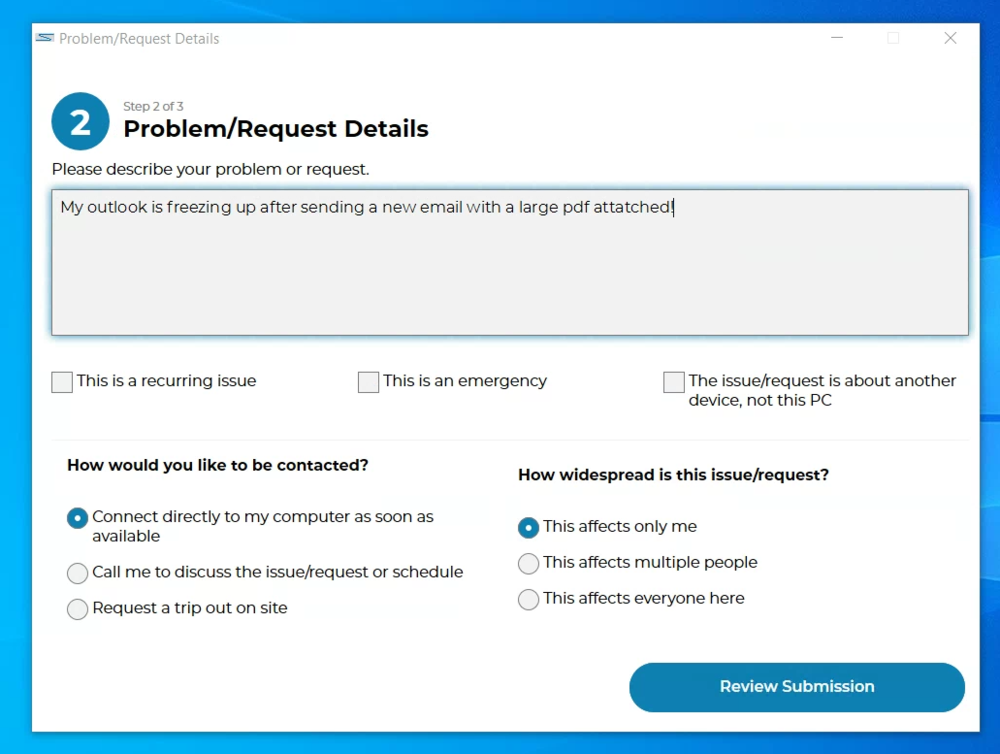
Provide as many details as you can to help us solve the problem, and make sure to tick the correct boxes underneath your description. Then click Review Submission
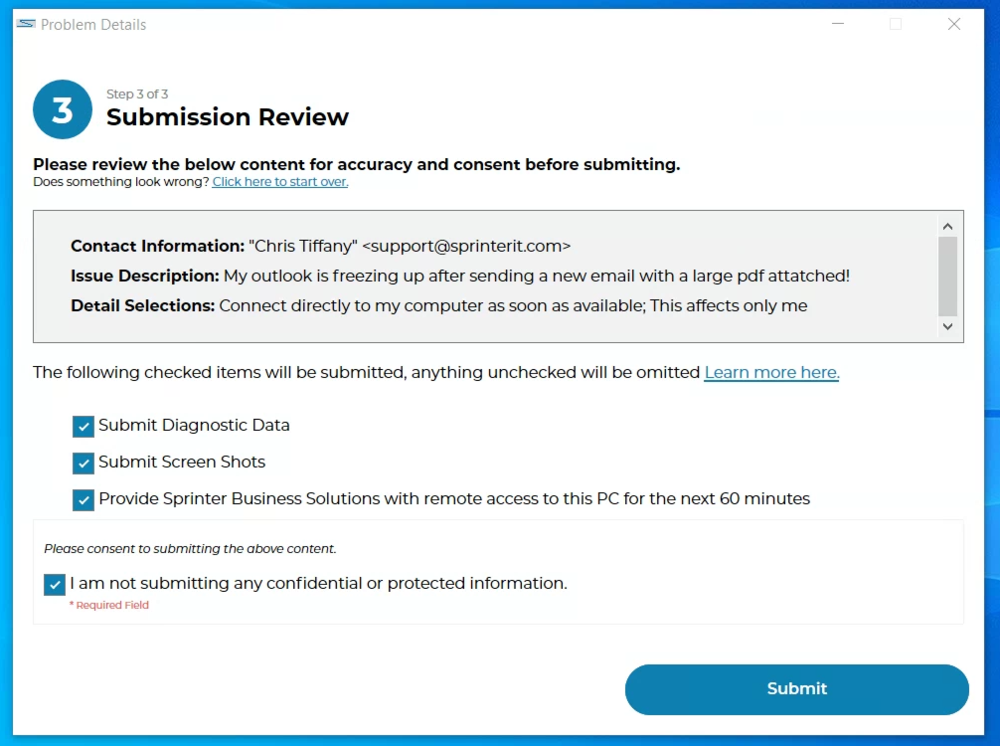
Ensure the submission review is accurate, then click Submit
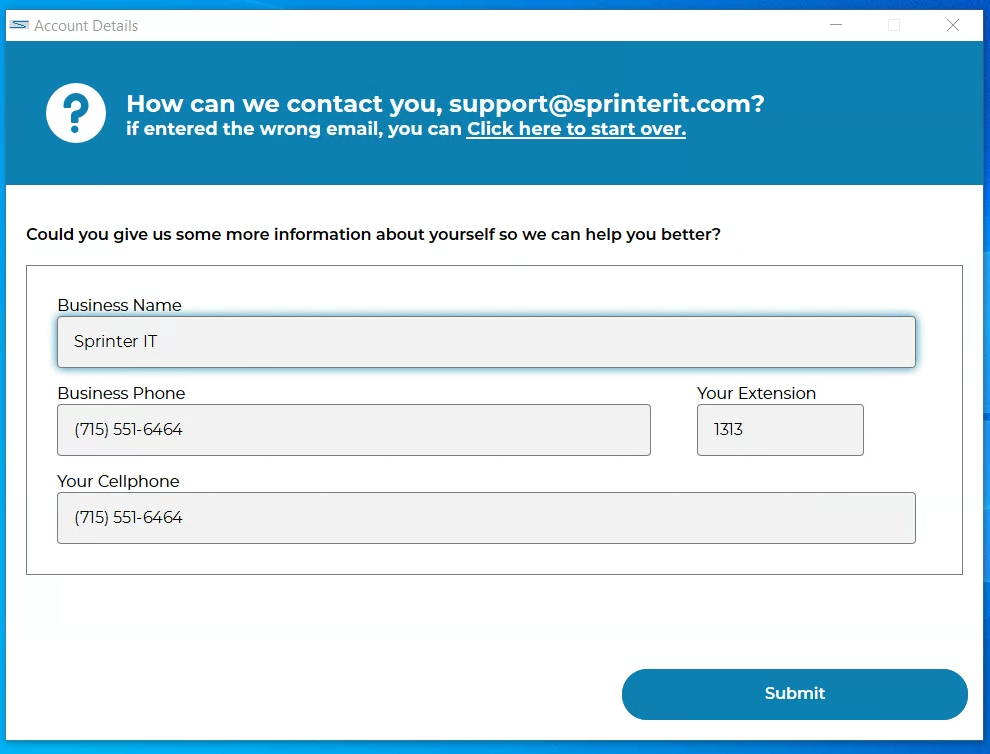
On the following page, please enter your Business Name and contact information so we can ensure we have the correct contact information.
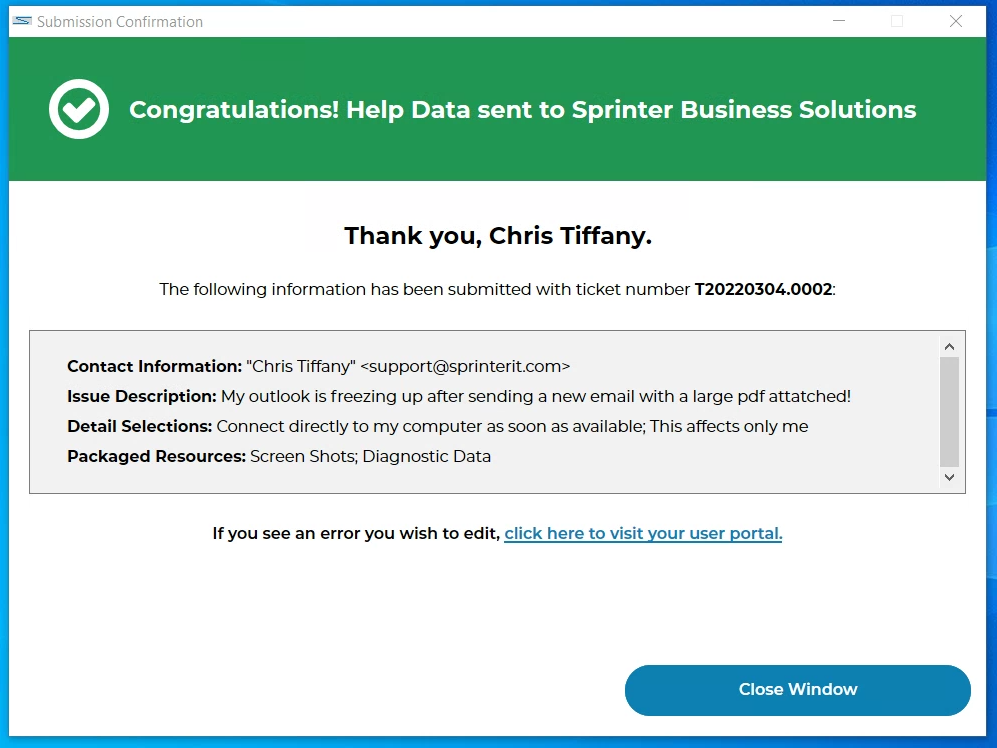
Now you have submitted a ticket, and we will reach out to you as soon as possible!